Maintenances
Schedule and communicate planned downtime to your users.
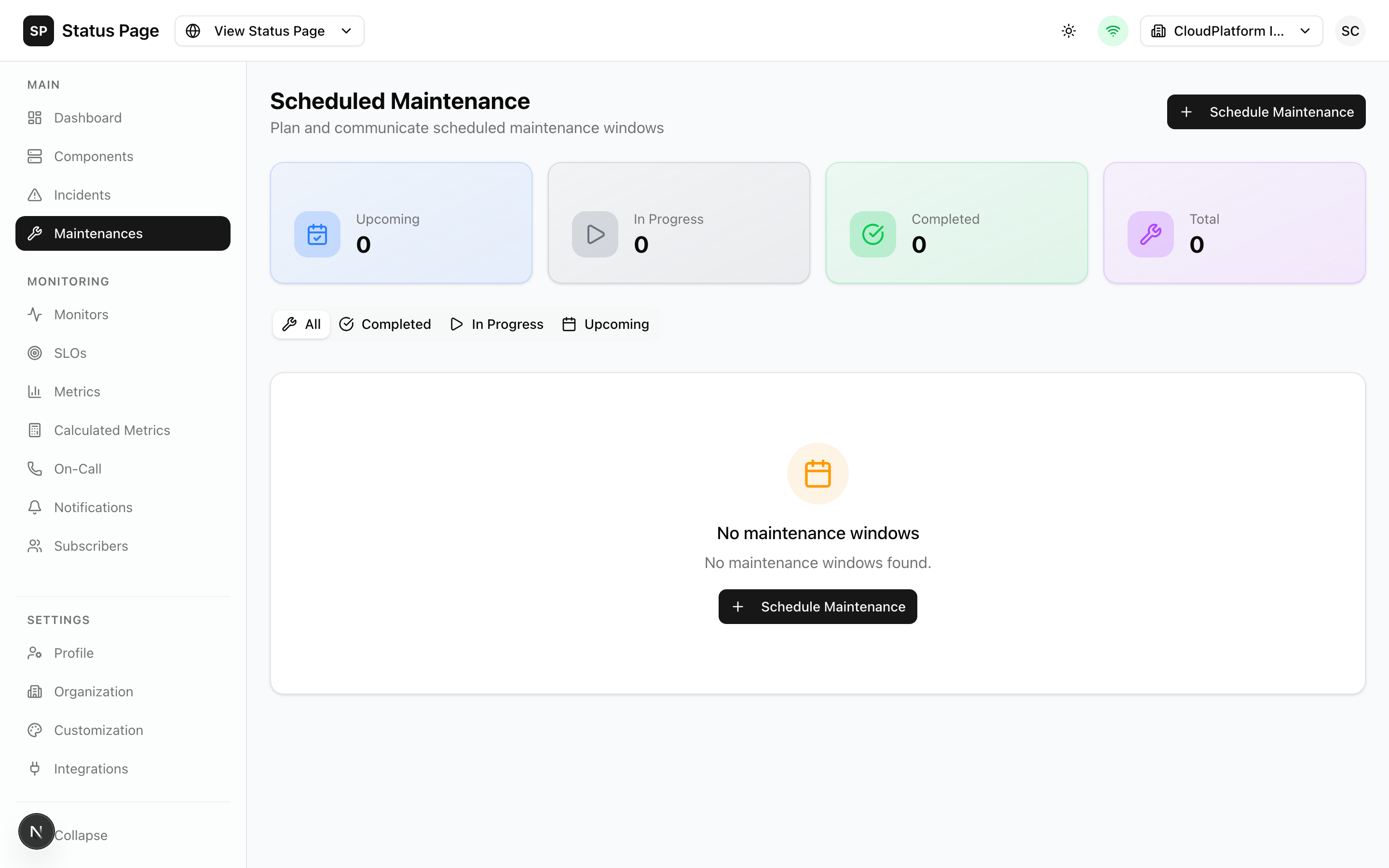
Overview
Maintenances are scheduled events that may affect service availability. Unlike incidents (unplanned), maintenances are planned in advance and communicated proactively.
Maintenance Lifecycle
| State | Description |
|---|---|
| Scheduled | Planned for the future |
| In Progress | Currently happening |
| Completed | Finished successfully |
| Cancelled | Called off before starting |
Automatic Transitions
ReliaPulse automatically transitions maintenances:
Scheduled → In Progress (at start time)
In Progress → Completed (at end time, if auto-complete enabled)
Creating a Maintenance
- Navigate to Dashboard > Maintenances
- Click "Schedule Maintenance"
- Fill in details:
Basic Information
| Field | Description |
|---|---|
| Title | Clear description |
| Start Time | When maintenance begins |
| End Time | Expected completion |
| Auto Start | Auto-transition at start time |
| Auto Complete | Auto-transition at end time |
Affected Components
- Select components affected by maintenance
- Choose the status during maintenance:
- Under Maintenance (recommended)
- Degraded Performance
- Partial Outage
Description
Explain:
- What work is being done
- Expected impact
- User actions needed (if any)
- Click "Schedule"
Maintenance Updates
Add updates during maintenance:
- Open the maintenance
- Click "Add Update"
- Write the update:
- Progress information
- Timeline changes
- Issues encountered
- Click "Post Update"
Managing Maintenances
Starting Early
To start maintenance before scheduled time:
- Open the maintenance
- Click "Start Now"
- Confirm
Extending
If maintenance takes longer:
- Open the maintenance
- Click "Extend"
- Enter new end time
- Add an update explaining the extension
Completing Early
If maintenance finishes before scheduled end:
- Open the maintenance
- Click "Complete"
- Add completion update
- Ensure components return to operational
Cancelling
To cancel a scheduled maintenance:
- Open the maintenance
- Click "Cancel"
- Provide cancellation reason
- Subscribers will be notified
Recurring Maintenances
Recurring maintenances can be configured via the API.
Set up regular maintenance windows:
curl -X POST http://localhost:3000/api/v1/maintenances \
  -H "Authorization: Bearer sk_live_xxx" \
  -H "Content-Type: application/json" \
  -d '{
    "title": "Weekly Database Maintenance",
    "recurrence": {
      "frequency": "weekly",
      "dayOfWeek": 0,
      "startTime": "02:00",
      "duration": 60
    },
    "componentIds": ["component-id"]
  }'
Notifications
Subscribers are notified:
- When maintenance is scheduled
- When maintenance starts
- When updates are posted
- When maintenance completes or is cancelled
Advance Notice
Configure advance notifications:
- 24 hours before
- 1 hour before
- At start time
Status Page Display
Scheduled Maintenances
Shows as a banner on the status page:
🔧 Scheduled Maintenance
Database Migration
Scheduled for: Jan 25, 2026 02:00 - 04:00 UTC
In Progress
During maintenance:
- Status banner shows "Maintenance in Progress"
- Affected components show maintenance status
- Live updates appear as they're posted
After Completion
- Maintenance moves to history
- Can be viewed in "Past Maintenances"
- Components return to normal status
API Access
List Maintenances
curl http://localhost:3000/api/v1/maintenances \
  -H "Authorization: Bearer sk_live_xxx"
Create Maintenance
curl -X POST http://localhost:3000/api/v1/maintenances \
  -H "Authorization: Bearer sk_live_xxx" \
  -H "Content-Type: application/json" \
  -d '{
    "title": "Server Upgrade",
    "description": "Upgrading servers to improve performance",
    "scheduledStartAt": "2026-01-25T02:00:00Z",
    "scheduledEndAt": "2026-01-25T04:00:00Z",
    "componentIds": ["comp-1", "comp-2"],
    "autoStart": true,
    "autoComplete": true
  }'
Update Maintenance
curl -X PATCH http://localhost:3000/api/v1/maintenances/{id} \
  -H "Authorization: Bearer sk_live_xxx" \
  -H "Content-Type: application/json" \
  -d '{
    "status": "in_progress"
  }'
Add Update
curl -X POST http://localhost:3000/api/v1/maintenances/{id}/updates \
  -H "Authorization: Bearer sk_live_xxx" \
  -H "Content-Type: application/json" \
  -d '{
    "message": "Server upgrade 50% complete"
  }'
Best Practices
Scheduling
- Schedule during low-traffic periods
- Give adequate advance notice (24-72 hours)
- Account for timezone of your users
- Buffer extra time for unexpected issues
Communication
- Be specific about expected impact
- Provide workarounds if available
- Update regularly during maintenance
- Confirm completion promptly
Testing
- Test maintenance procedures in staging
- Have rollback plan ready
- Verify monitoring is configured correctly
Documentation
- Keep maintenance logs
- Document what was done
- Note any issues for future reference
Related Documentation
- Components - Affected components
- Incidents - For unplanned issues
- Notifications - Subscriber alerts